Output P
The Output panel displays logs and messages during build, deploy, or runtime actions, helping developers trace operations and diagnose issues.
The Output Panel in Synergy IDE provides real-time logs for actions like building, validating, or deploying a project. It is an essential tool for monitoring success or failure messages, error details, and system behavior during design time.
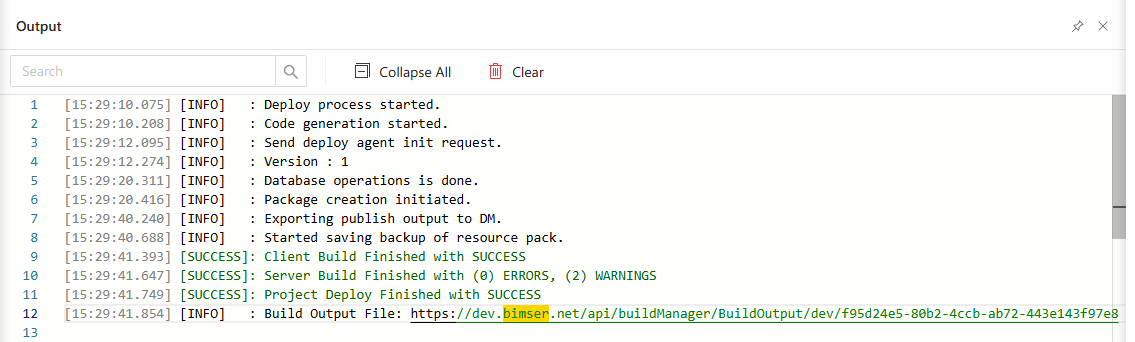
Features
Real-time Logging:Displays all compiler, deploy, and runtime messages instantly.Error Tracing:Errors are shown with hierarchical details (e.g., → Project → Flow → Line) to help users identify root causes quickly.Success & Failure Indicators:Each message is marked clearly as success, warning, or failure.Expand All / Collapse All Button:Allows users to expand or collapse all message trees for easier navigation.Clear Button:Clears the entire output log to declutter the panel before a new operation.
Behavior
- The panel activates automatically during operations like
Build,Save, orDeploy. - If errors occur, the messages are structured hierarchically, allowing developers to drill down into specific issues.
- Output logs are
read-onlyand refreshed with each operation.
Best Practices
- Use the
Expand Alloption to view full stack traces or nested messages. - Always check
Outputafter building or deploying to confirm operation status. - Use the
Clearbutton before a new operation for clean visibility.
See Also
- #linkDocument (DeveloperGuides.IDE.StartUp)
- #linkDocument (DeveloperGuides.IDE.TopMenu.View.Output.FAQs)
- #linkDocument (DeveloperGuides.IDE.TopMenu.View.Output.HowTos)